
Not all data centers are created equal, and when it comes to AI and GPU workloads, the gap between a facility that meets your requirements and one that merely claims to is enormous. Mismatched infrastructure means throttled GPU utilization, thermal failures, runaway operational costs, and in the worst case, the need to migrate mid-project.
This guide gives infrastructure managers and AI teams a practical framework for evaluating whether a data center is genuinely ready to support GPU-dense deployments.
Why “AI-Ready” Requires a New Evaluation Framework
Traditional data center due diligence focused on uptime SLAs, connectivity options, and physical security. Those factors still matter, but they are table stakes. A facility optimized for enterprise server racks at 8 kW per cabinet is architecturally incompatible with a modern GPU cluster, regardless of its Tier certification or 100% uptime history.
AI infrastructure evaluation requires asking fundamentally different questions about power, cooling, network, and operational expertise. Here is what to verify before signing a colocation agreement.
Power Density: The Non-Negotiable Starting Point
Modern GPU servers (NVIDIA H100, H200, and Blackwell-generation hardware) consume 700W to 1,000W per GPU. A single rack populated with 8 dual-GPU servers can easily exceed 30 kW. Full GPU cluster deployments commonly run at 50–100 kW per rack.
What to verify:
- Confirmed power density ceiling: Not what the facility advertises, but what it has actually delivered to live customers at scale. Ask for references.
- Power distribution architecture: High-density racks require 415V three-phase power delivery or equivalent high-voltage busway systems. Verify the facility can deliver this to your specific cage or suite.
- Metered power with real-time visibility: GPU workloads are dynamic. You need per-rack, per-circuit metering with customer-accessible monitoring dashboards.
- Dedicated circuits and panel capacity: Confirm that adjacent customer deployments cannot affect your available power headroom.
Liquid Cooling: From Optional to Mandatory
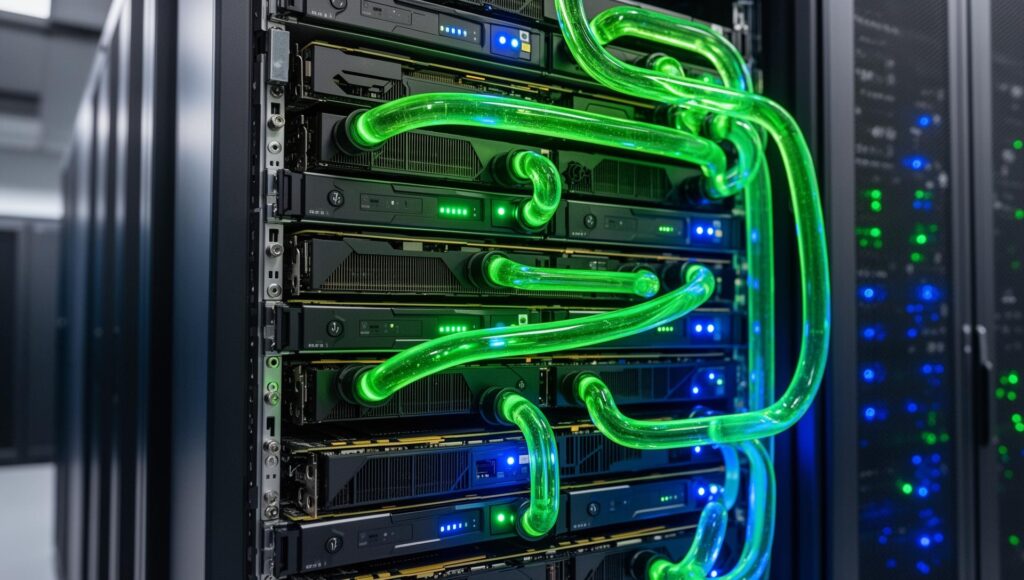
Air cooling maxes out at approximately 20–25 kW per rack in optimized configurations, well below what serious GPU deployments require. Liquid cooling is no longer a premium option; it is a prerequisite for AI-ready infrastructure.
Types of liquid cooling to evaluate:
- Direct-to-chip (DLC): Coolant delivered directly to the CPU/GPU cold plates. Most effective for current-generation GPU servers and supported by major OEMs.
- Rear-door heat exchangers (RDHx): Lower-cost option that supplements air cooling; less effective for extreme densities above 50 kW.
- Immersion cooling: Full liquid submersion for maximum thermal efficiency; best for the highest-density deployments and custom silicon.
Questions to ask the facility:
- What is the facility’s coolant distribution unit (CDU) capacity and redundancy configuration?
- What is the maximum sustainable kW per rack with liquid cooling active?
- Has liquid cooling been validated with the specific GPU hardware you plan to deploy?
- What are the facility’s leak detection and emergency response protocols?
Network Architecture for GPU Clusters
AI training workloads are extraordinarily network-intensive. A 512-GPU training cluster can generate hundreds of terabits per second of east-west traffic during all-reduce operations. Latency between GPU nodes directly affects training throughput. Every microsecond matters at scale.
Key network requirements:
- In-facility low-latency switching: Verify the facility supports or can accommodate InfiniBand (HDR/NDR) or high-performance RoCE fabrics within your deployment footprint.
- Cluster adjacency: All nodes in a training cluster must be physically proximate. Distributed deployments across multiple data halls or buildings introduce unacceptable latency.
- External connectivity: High-throughput uplinks to cloud on-ramps (AWS Direct Connect, Azure ExpressRoute, Google Cloud Interconnect) for hybrid workflows.
- Carrier diversity: Minimum two diverse fiber entry points for network resilience.
Operational Expertise: An Underrated Factor
A data center with the right physical infrastructure can still fail an AI deployment if the operations team lacks experience with GPU workloads. High-density, liquid-cooled deployments require specialized maintenance protocols, thermal management expertise, and rapid response capabilities that not all operators have developed.
Evaluation criteria:
- Does the facility have existing GPU or HPC tenants at comparable densities?
- What is the operator’s experience with liquid cooling maintenance and failure response?
- Can the facility provide dedicated technical resources for deployment and ongoing support?
- What are the remote hands capabilities and response time SLAs?
The AI-Ready Data Center Checklist
Before signing, confirm the following:
- Verified power density capability at 30 kW+ per rack (ideally 50–100 kW)
- Direct-to-chip or immersion liquid cooling infrastructure in place
- High-voltage (415V three-phase) power delivery available
- Per-rack metering with customer monitoring access
- In-facility support for InfiniBand or high-performance RoCE fabric
- GPU cluster physical adjacency (single data hall preferred)
- Operator references from active GPU/HPC tenants
- Clear SLAs for high-density cooling maintenance and thermal response
- Redundant fiber entry and carrier-neutral connectivity
- Scalable capacity path for future GPU fleet expansion
Finding AI-Ready Inventory in a Constrained Market
Genuine AI-ready data center inventory is scarce. Many facilities that market themselves as “AI-ready” lack the power density, cooling infrastructure, or operational experience to support production GPU deployments. Due diligence requires direct engagement with operators, and in many cases, off-market access to capacity that is not publicly listed.
GO Data Centers maintains a curated network of verified AI-ready facilities across the U.S. Explore GPU-ready colocation options or submit a confidential sourcing request at godatacenters.com.